


REST API vs Webhooks in CRM Integrations: Which One Should You Use
REST API vs webhooks is a decision that comes up in nearly every CRM integration project, and picking the wrong one often means either building something unnecessarily complex or ending up with data that is always a step behind reality. This post explains how each approach actually works, where they overlap, and how to decide which one fits a given integration rather than defaulting to whichever one your developer already knows best.
What a REST API Actually Does
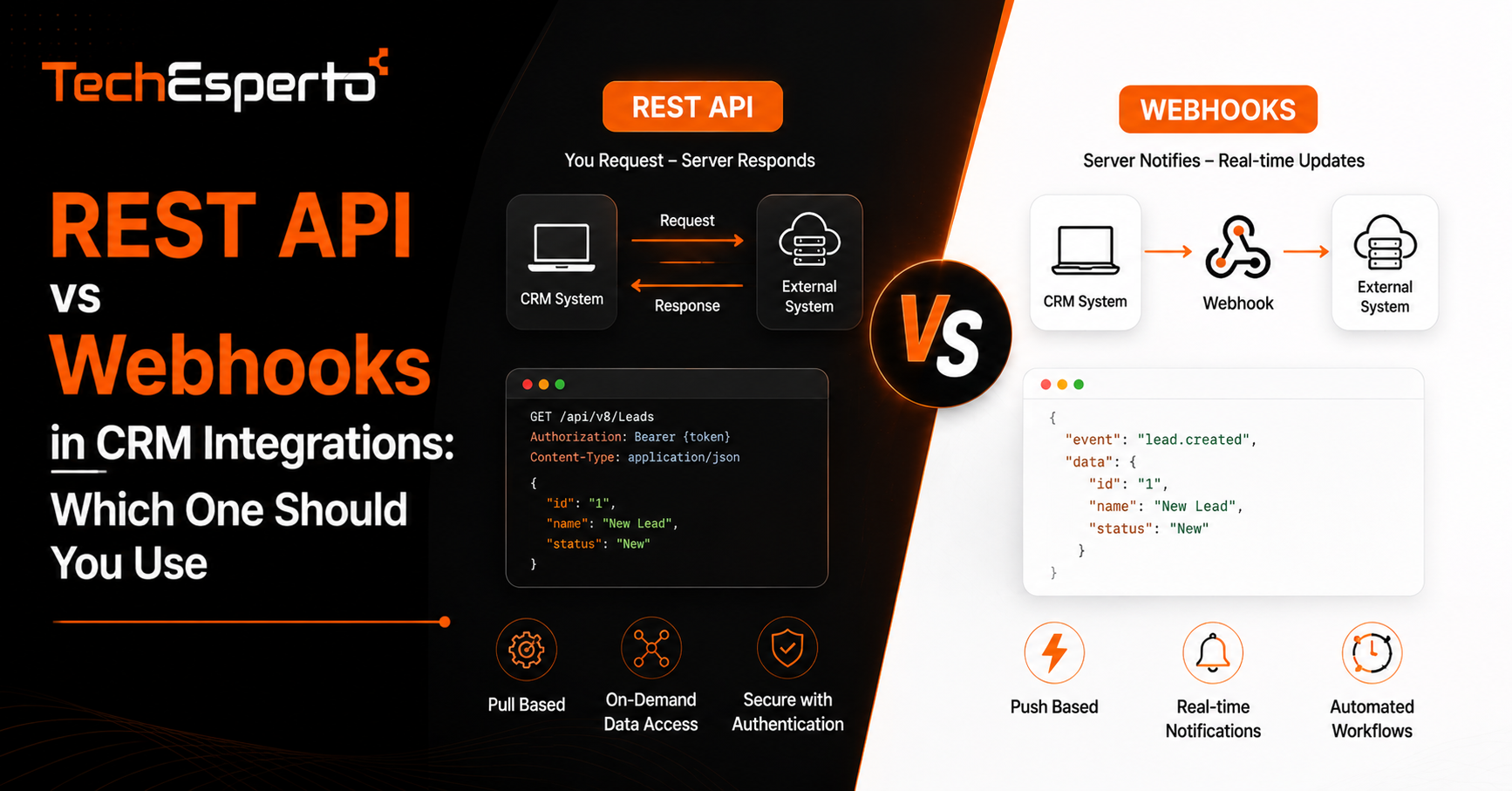
A REST API lets one system request data or trigger an action in another system on demand. Your application sends a request, the CRM processes it, and a response comes back with the information or confirmation you asked for. This is a pull model: your system decides when to ask, and nothing happens until it does.
Where REST APIs Excel
REST APIs are the right fit whenever your system needs to fetch specific data at a specific moment, such as loading a customer’s full record when they open a support ticket, or pushing a new contact into the CRM the moment someone fills out a form. The request and response happen in a single, predictable exchange, which makes REST APIs easier to test and debug.
Where REST APIs Fall Short
The limitation shows up when you need to know about a change the instant it happens. Polling a REST API repeatedly to check whether something has changed, say checking every few minutes whether a deal status has updated, wastes resources and still introduces delay between the change and your system noticing it.
What a Webhook Actually Does
A webhook works in the opposite direction. Instead of your system asking the CRM for updates, the CRM sends data to your system automatically the moment a defined event occurs. This is a push model, and it removes the delay and wasted requests that come with polling.
Where Webhooks Excel
Webhooks are the better choice for real-time scenarios, such as notifying a billing system the instant a deal closes, or triggering an email sequence the moment a lead’s status changes. Because the CRM initiates the message, your system only processes data when something actually happened, rather than checking repeatedly for no reason.
Where Webhooks Fall Short
Webhooks assume your system is ready to receive data at any moment, which means your endpoint needs to be reliably available and able to handle retries if a delivery fails. They also only tell you about the specific event they were built to report. If you need a broader set of related data beyond what the webhook payload includes, you often end up calling the REST API anyway to fill in the gaps.
Using Both Together in Practice
Most well-built CRM integrations do not choose one over the other entirely. A common pattern is to use a webhook to get instant notice that something changed, then use a REST API call immediately after to pull any additional data the webhook payload did not include. This combination gives you the responsiveness of a push model with the completeness of a pull model, without over-relying on either one alone. This kind of layered approach is typical of the work involved in API integration services, where the goal is reliable data flow rather than picking a single method out of preference.
How This Plays Out in a Real CRM Workflow
Consider an ecommerce business syncing orders into a CRM. A webhook from the storefront platform notifies the CRM the instant an order is placed, so the customer record updates in near real time. But the webhook payload might only include order ID and total, not full shipping details. A follow-up REST API call to the storefront platform then retrieves the rest of the order data needed to complete the customer’s record. Neither approach alone would have delivered a complete, timely picture on its own.
Deciding Which Approach Fits Your Integration
The decision usually comes down to three questions. How time-sensitive is the data. If a delay of a few minutes is acceptable, REST API polling on a reasonable schedule may be simpler to build and maintain than webhook infrastructure. How much data do you need per event. If a webhook’s payload already contains everything required, you may not need a REST API call at all. And how reliable is your receiving endpoint. Webhooks require your system to be available to receive pushed data, which adds an operational responsibility that a pull-based REST API does not carry in the same way. Getting this decision wrong early in a project tends to show up later as either sluggish data or unnecessary infrastructure, which is why it is worth mapping out before development begins, often as part of broader API development planning.
Key Takeaways
REST APIs work on a pull model, where your system requests data on demand, while webhooks push data to you automatically the moment an event occurs. REST APIs suit on-demand lookups and one-time actions, while webhooks suit real-time notifications where delay is costly. Most solid CRM integrations combine both, using a webhook for instant notice and a REST API call to retrieve additional detail. And the right choice depends on how time-sensitive your data needs are and how reliable your receiving system can be.
Frequently Asked Questions
Can a CRM integration work with only webhooks and no REST API calls?
In some cases, yes, if the webhook payload already contains all the data you need. In practice, most integrations end up using both, since webhooks rarely carry every field required for a complete record.
Is a webhook faster than a REST API for CRM updates?
Yes, in terms of how quickly your system learns about a change, since webhooks push data the instant an event happens rather than waiting for your system to ask.
Do webhooks require ongoing maintenance?
Yes. Your receiving endpoint needs to stay available, and you typically need to handle retry logic in case a delivery fails or your system is temporarily down when the webhook fires.
Which approach is easier to build for a small business integration?
REST API polling is often simpler to set up initially since it does not require maintaining a publicly accessible endpoint to receive incoming data, though it can become inefficient at higher volumes.
Do most CRM platforms support both REST APIs and webhooks?
Most modern CRM platforms, including SuiteCRM, support both, which is why the decision usually comes down to which fits a specific use case rather than platform limitations.