


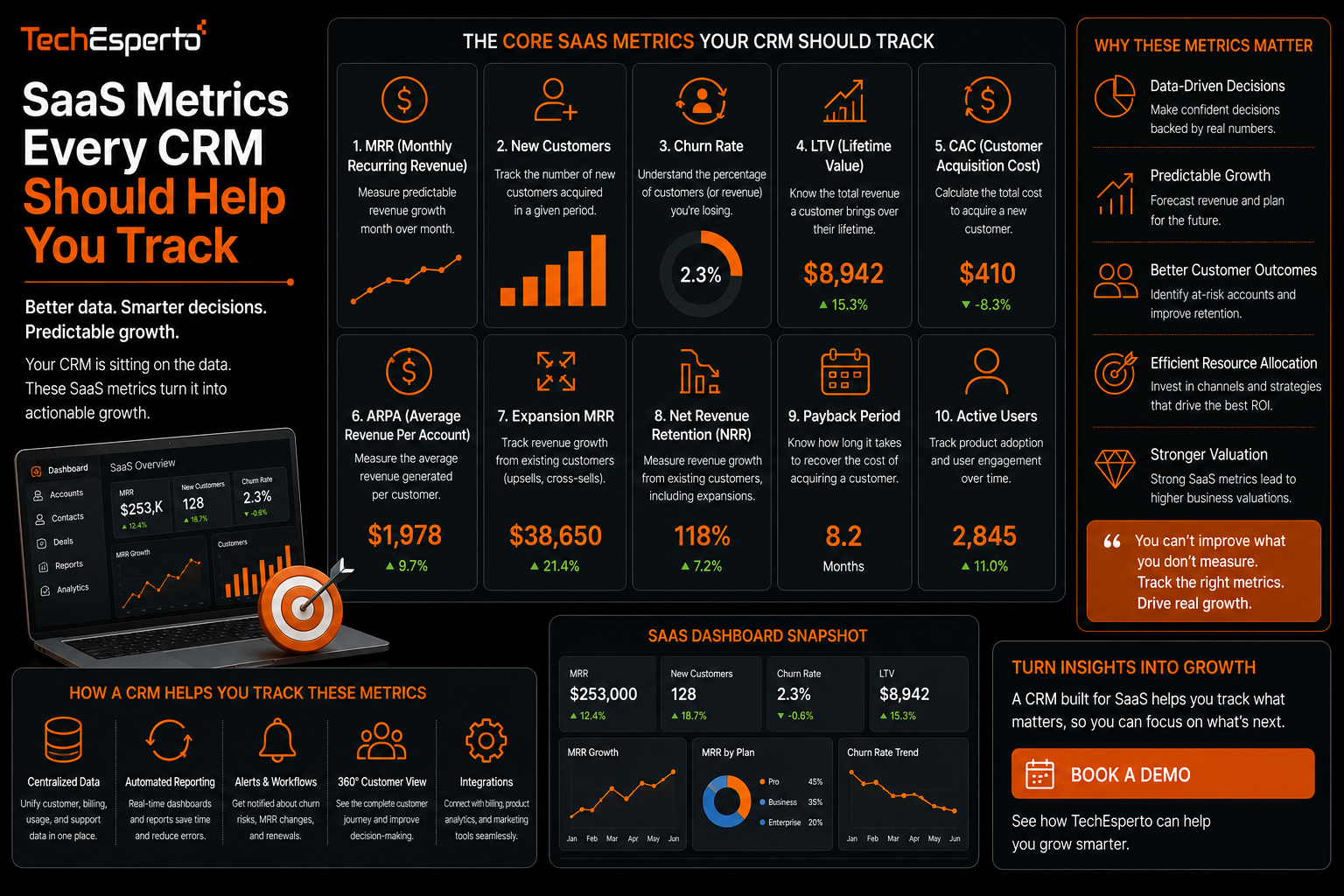
SaaS Metrics Every CRM Should Help You Track
SaaS metrics inside a CRM often end up scattered across spreadsheets maintained separately from the system that actually holds the customer data those metrics depend on, which means the numbers a leadership team reviews are frequently outdated by the time anyone sees them. This post covers the core metrics a SaaS business should be tracking directly through its CRM, and how to structure the system so those numbers update automatically instead of requiring manual recalculation.
Why SaaS Metrics Belong in the CRM, Not a Separate Spreadsheet
A SaaS business’s most important metrics, including recurring revenue and churn, are derived directly from customer and subscription data that already lives in the CRM. Recalculating these figures manually in a separate spreadsheet introduces delay and the risk of human error, and it means the numbers reviewed in a leadership meeting reflect a snapshot from whenever someone last updated the file rather than current reality.
Monthly Recurring Revenue
MRR is the foundation metric for most SaaS businesses, representing predictable revenue on a monthly basis. Tracking this accurately in a CRM requires subscription data, including plan value and billing frequency, to be properly structured as fields tied to each account rather than living only in a separate billing system disconnected from the CRM.
Churn Rate
Customer Churn vs Revenue Churn
Customer churn measures the percentage of customers who cancel in a given period, while revenue churn measures the percentage of recurring revenue lost, which can differ significantly if the customers who churn are disproportionately smaller or larger accounts. Tracking both gives a more complete picture than either figure alone.
Where Churn Data Gets Lost
Churn is often undercounted when cancellations are processed only in a billing system without a corresponding status update in the CRM, meaning the CRM continues to show a customer as active long after they have actually left. Keeping cancellation status synchronized between billing and CRM systems is essential for churn numbers to be trustworthy.
Customer Lifetime Value
Lifetime value estimates the total revenue expected from a customer over the full duration of their relationship with the business, and it depends on having accurate historical data on both revenue and retention duration. This metric is most useful when segmented by customer type or acquisition channel, since averaging it across an entire customer base can obscure meaningful differences that matter for decisions about where to invest in acquisition.
Expansion and Contraction Revenue
Beyond new revenue and churn, tracking how much existing customers are expanding through upgrades or contracting through downgrades gives visibility into whether growth is coming primarily from new customers or from deepening existing relationships. This distinction matters significantly for forecasting, since a business relying heavily on expansion revenue has a different growth profile than one dependent entirely on new customer acquisition.
Setting Up a CRM to Track These Metrics Automatically
Getting these metrics to update automatically requires structuring subscription and billing data as proper fields within the CRM rather than notes or attachments, connecting the CRM to the billing system so status changes flow through without manual entry, and building dashboards that calculate these figures directly from live data rather than a periodically updated export. This kind of setup is typically part of broader business intelligence work, paired with predictive analytics for businesses wanting to forecast these metrics forward rather than only reviewing historical performance.
Key Takeaways
Core SaaS metrics including MRR, churn, and lifetime value should be calculated directly from live CRM data rather than maintained separately, since manual tracking introduces delay and error. Both customer churn and revenue churn should be tracked, since they can tell different stories about where a business is losing revenue. Lifetime value is most useful when segmented rather than averaged across an entire customer base. And automatically updating dashboards, built on properly structured subscription data, give a far more reliable picture than periodic manual recalculation.
Frequently Asked Questions
Why does customer churn sometimes differ significantly from revenue churn?
This happens when the customers who cancel are disproportionately larger or smaller accounts than average, meaning the percentage of customers lost does not match the percentage of revenue lost.
Can a standard CRM calculate SaaS metrics without customization?
Some platforms offer basic reporting on these metrics natively, but accurate calculation usually requires properly structured subscription data and, in many cases, custom dashboard configuration to reflect a business’s specific plan structure.
How often should MRR and churn be reviewed?
Monthly review is standard for most SaaS businesses, though having live, automatically updating dashboards means these figures can be checked at any time rather than waiting for a scheduled report.
Does lifetime value need to be recalculated as the business grows?
Yes, lifetime value should be recalculated periodically as retention patterns and pricing change, since a figure calculated early in a business’s life may no longer reflect current customer behavior.
Is expansion revenue tracked the same way as new customer revenue?
No, expansion revenue specifically measures additional revenue from existing customers through upgrades, and tracking it separately from new customer revenue gives a clearer picture of where growth is actually coming from.