


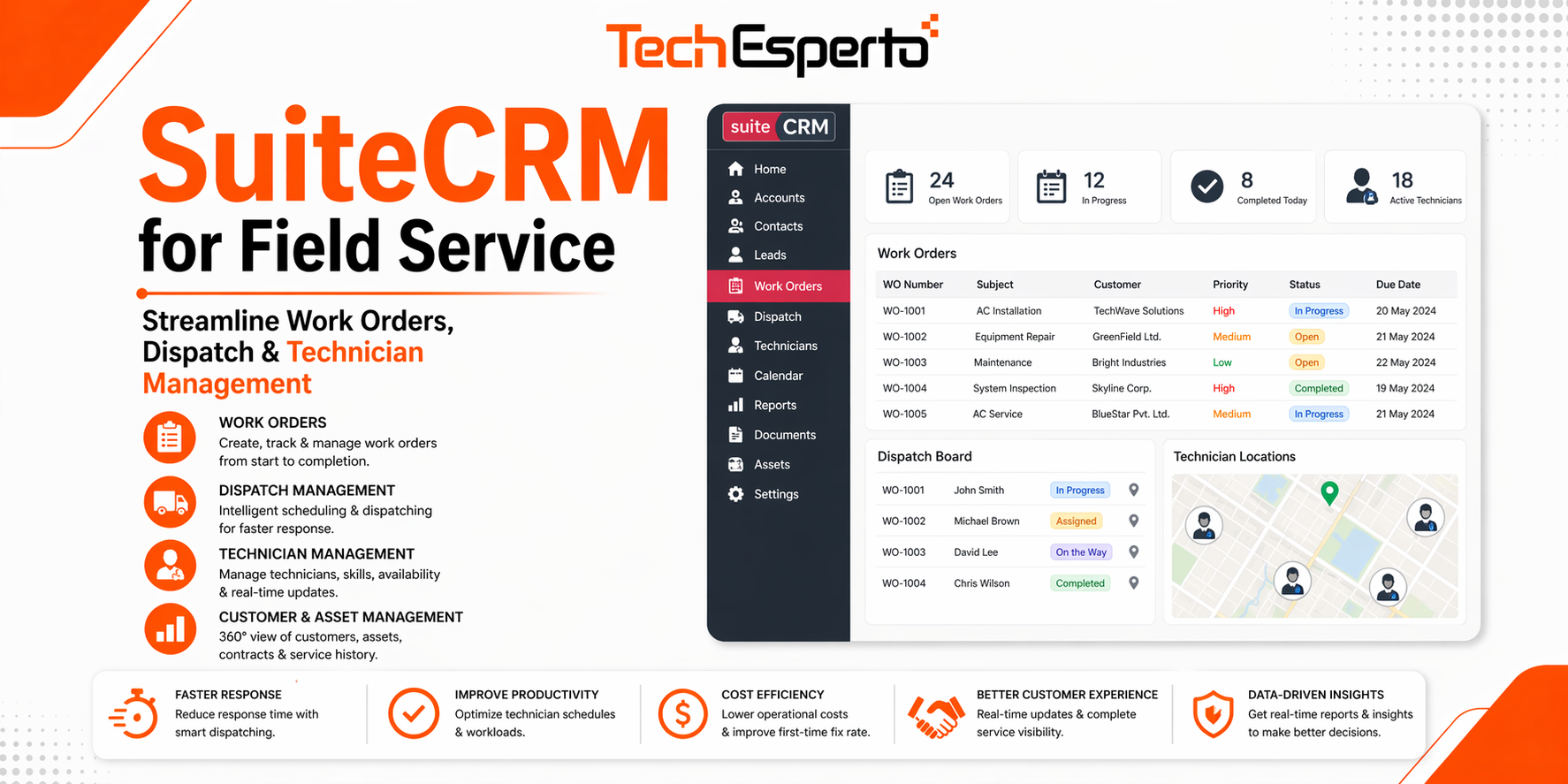
SuiteCRM for Field Service: Work Orders, Dispatch & Maintenance Contracts
SuiteCRM can run a complete field service operation — work orders, dispatch, technician management, equipment history and recurring maintenance contracts — without per-user license fees. A custom Service Contracts module stores contract terms, covered equipment, SLAs and renewal dates, and workflow automation auto-generates recurring work orders and renewal reminders. For teams with 5–50 technicians, it delivers the same operational outcome as purpose-built FSM platforms at a far lower lifetime cost.
Why field service maintenance contracts need a specialized CRM
If you run a field service business — HVAC, plumbing, electrical, IT support, equipment maintenance, fire safety, elevators, generators — your real revenue engine isn’t one-off jobs. It’s maintenance contracts: predictable, recurring service agreements that turn customers into long-term revenue.
Most CRMs were never built for this. Generic sales CRMs track “opportunities” — they don’t auto-generate quarterly work orders, track contract utilization, alert you before renewal, or tie every site visit back to a specific equipment unit under contract. Purpose-built field service platforms do all of this, but at per-user pricing that squeezes margins for teams with 5–20 technicians.
SuiteCRM is the cost-effective alternative: an open-source CRM you can customize into a complete field service and maintenance-contracts platform — recurring contracts, auto-generated work orders, equipment service history, technician dispatch, invoicing and customer communication — without per-user licensing fees.
Maintenance contracts need a CRM that tracks:
- Contract terms — type, billing frequency, SLA response times, included services, parts coverage, renewal flags
- Covered equipment — every HVAC unit, generator, elevator, fire panel or asset under the contract
- Recurring service schedules — quarterly inspections, monthly maintenance, annual overhauls, auto-converted into work orders
- Contract utilization — how many contracted visits have been used, so you can flag over- and under-utilized accounts
- Renewal lifecycle — auto-reminders 90/60/30 days out, renewal proposals, signed agreements, billing handoff
- Equipment-level history — when this exact unit was last serviced, what parts were replaced, which technician knows it
Generic CRMs can’t model this without heavy work, and off-the-shelf FSM platforms charge per user forever. SuiteCRM gives you the customization power without the per-user tax — see SuiteCRM customization.
How to build a maintenance-contracts CRM in SuiteCRM
1. Service Contracts module
The heart of the system. Build a custom Service Contracts module with fields for: customer account and site contact; contract type (annual maintenance, quarterly inspection, on-call, parts-included); status (Active, Pending Renewal, Expired, Cancelled); covered equipment (linked to the Equipment module, multiple units per contract); contract value and billing frequency; start/end dates and auto-renewal flag; included services (visits, SLA, parts coverage); visits used/remaining; preferred technician; renewal reminder lead time; and a contract PDF attachment. Every work order links back to its contract, so you can see which contracts drive revenue and which lose money.
2. Auto-generated recurring work orders
This is where SuiteCRM’s workflow automation earns its place. Once a contract is active, workflows create work orders on schedule — a quarterly HVAC contract generates work orders in Jan/Apr/Jul/Oct, a monthly elevator inspection generates 12 a year, an annual fire-safety inspection one per anniversary. Each pulls customer details, site address, covered equipment and SLA window from the contract — no manual entry.
3. Renewal reminders & pipeline
Workflows fire automatically: 90 days out, notify the account owner; 60 days out, auto-create a renewal opportunity and generate a proposal PDF; 30 days out, escalate if no action; at expiry, flip status to Expired and pause recurring work orders. Renewal forecasting becomes a real dashboard number, not a Post-it.
4. Equipment & asset service history
An Equipment module tracks type, make, model, serial number, installation date, warranty expiry, account and site, linked contract, full service history, recurring-issue/parts log and photos. Technicians see every past visit and part replaced before touching the equipment — which kills repeat-visit waste.
5. SLA tracking & response-time compliance
Workflows track time-to-dispatch, time-to-on-site and time-to-completion against contracted SLAs, flag breaches, and escalate imminent ones. Monthly SLA reports prove compliance to enterprise customers and justify premium pricing.
6. Contract utilization & profitability reports
Custom dashboards make each contract’s profitability visible: visits used vs contracted, labor and parts cost per contract, gross margin per quarter, contracts most likely to renew, and contracts at churn risk.
Building the field service CRM foundation
Maintenance contracts sit on a working field service CRM:
- Work order management — a custom Work Orders module (number, account, address, job type, priority, linked contract, technician, schedule, equipment, parts, labor hours, status flow New → Dispatched → En Route → On Site → In Progress → Completed → Invoiced, notes, photos, signature), with workflows automating assignment, customer SMS and post-completion invoicing/surveys.
- Technician management — skills and certifications (with expiry reminders), availability, territory, rates and performance metrics, with Security Groups controlling who sees what.
- Dispatch & scheduling — a custom dispatch board showing open work orders by priority and location plus technician availability, so an emergency call becomes an assigned, confirmed job in minutes.
- Parts & inventory — a Parts module (name, number, compatible equipment, quantity, reorder threshold, supplier, cost) linked to work orders, with low-stock alerts. For deeper inventory, integrate via REST API — see our inventory management build.
- Invoicing & payments — built-in Quotes and Invoices generate branded PDFs from completed work orders, with QuickBooks integration syncing invoices and payments.
Mobile CRM for field technicians
Technicians spend most of their day away from the office, so mobile is mandatory. The SuiteCRM Mobile App gives them today’s assigned work orders with map directions, on-site access to customer and equipment history, one-tap status updates with timestamps, parts and labor logging, before/after photo capture, on-screen signature, and voice-to-text notes. Dispatchers see real-time updates, enabling dynamic rescheduling.
SuiteCRM vs purpose-built field service platforms
SuiteCRM takes more upfront setup than turnkey FSM platforms, but for teams with industry-specific workflows or 10+ technicians, the customization depth and absence of per-user licensing are decisive. Where SuiteCRM is open-source (no seat fees, unlimited custom modules, full data ownership, full sales + marketing CRM), purpose-built platforms typically charge per user per month, limit custom modules, and hold your data in their cloud. The niche features they bundle (advanced route optimization, integrated marketing services) can be added to SuiteCRM through dedicated integrations.
(Keep your comparison table here — but see the note in section 9 about competitor pricing.)
Example economics (illustrative)
To show how the cost model plays out — this is an illustrative scenario, not a specific client, and your numbers will differ:
A field service team running annual maintenance contracts often loses renewals when contracts live in spreadsheets, double-books technicians scheduling visits manually, and scatters equipment history across email and paper. Moving that onto a SuiteCRM maintenance-contracts build typically means contracts tracked with automatic renewal reminders, recurring work orders auto-generated and pre-assigned, and equipment history available on the technician’s phone on arrival. Against a per-user FSM platform billed monthly, an open-source build with hosting and support usually wins on total cost once a team passes roughly 10 technicians — because adding users doesn’t add license fees.
Run your own comparison with our cost calculator (works for any per-user SaaS).
Implementation timeline
A field-service-with-maintenance-contracts deployment typically runs in phases: core setup plus Work Orders and Equipment modules first; then the Service Contracts module, recurring work-order workflows and renewal automation; then dispatch, SLA tracking, invoicing, QuickBooks integration and SMS; and finally mobile app rollout, technician training, go-live and a parallel run. We deliver these on a fixed-fee basis — see SuiteCRM implementation.
Frequently Asked Questions
Can SuiteCRM manage field service maintenance contracts? Yes. A custom Service Contracts module tracks contract type, covered equipment, billing frequency, SLA terms, visits used and renewal status, and workflow automation auto-generates recurring work orders and sends renewal reminders 90/60/30 days before expiry.
How does SuiteCRM auto-generate recurring maintenance work orders? SuiteCRM’s workflow engine creates scheduled work orders based on the contract’s billing frequency — quarterly, monthly, annual or custom — pre-assigned to the preferred technician with the correct SLA window.
Can SuiteCRM track SLAs on maintenance contracts? Yes. Custom workflows track time-to-dispatch, time-to-on-site and time-to-completion against the SLA, trigger escalations on breaches, and produce monthly compliance reports.
Can SuiteCRM replace ServiceTitan or Jobber for maintenance contracts? For CRM, work orders, service contracts, equipment tracking, recurring scheduling and invoicing — yes. Some niche features (advanced route optimization, integrated marketing services) are added via dedicated integrations. For most teams of 5–50 technicians, SuiteCRM delivers the same operational outcome at a fraction of the lifetime cost.
Can technicians access maintenance contracts on mobile? Yes. The SuiteCRM Mobile App surfaces contract-driven work orders, equipment service history, SLA terms and parts coverage on a smartphone, with offline mode for sites without coverage.
Does SuiteCRM integrate with QuickBooks or Xero for invoicing? Yes. QuickBooks and Xero integrations sync invoices and payments, and maintenance-contract invoices auto-generate from completed work orders.
Can SuiteCRM handle complex multi-site contracts? Yes. A single Service Contract can cover many equipment units across multiple sites, each with its own schedule, SLA and technician assignment.
Can TechEsperto build our field service maintenance contracts CRM? Yes. We build field service, order management and inventory systems on SuiteCRM, handling the contracts module, recurring workflows, mobile deployment and ongoing support.