


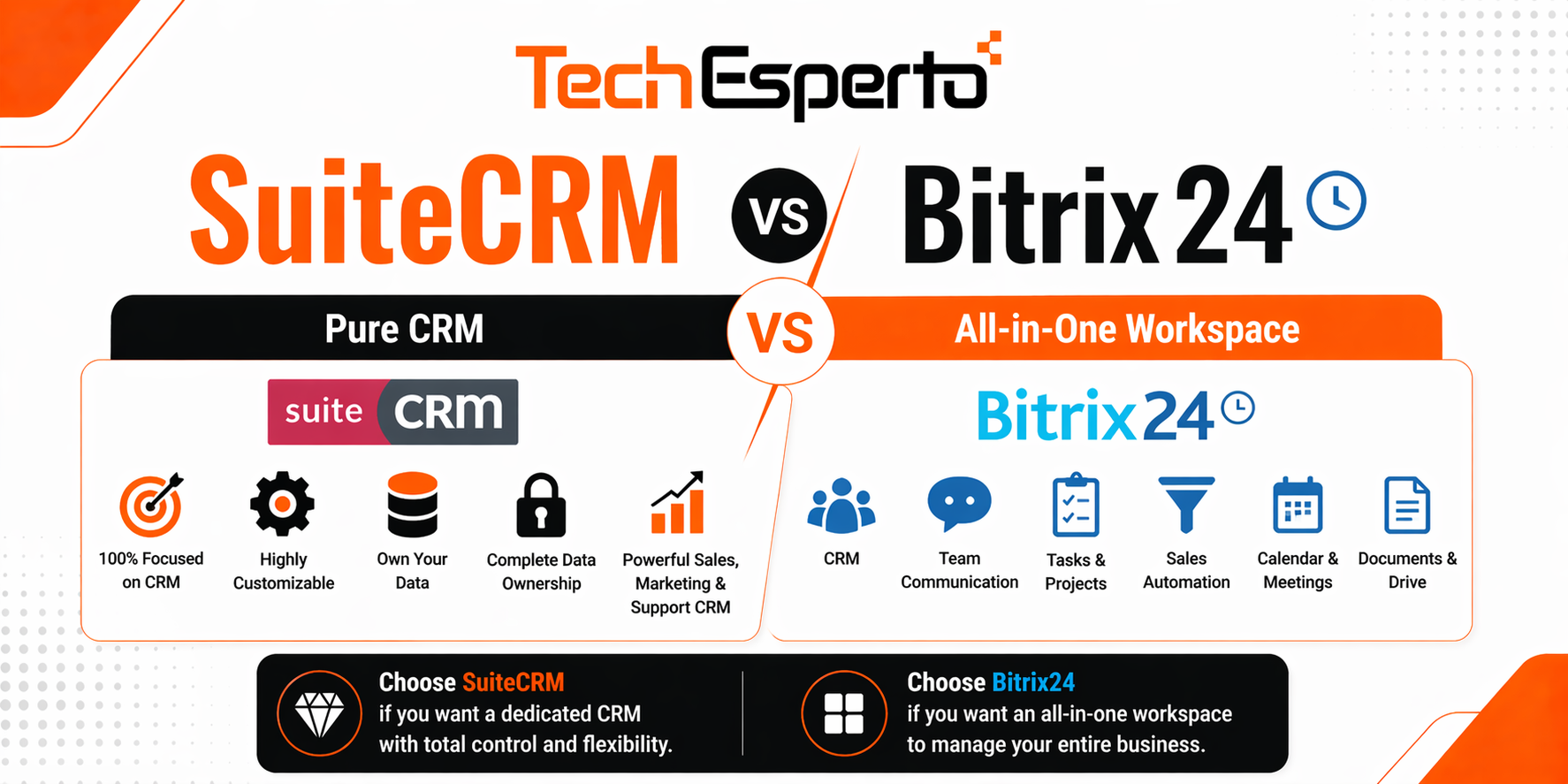
SuiteCRM vs Bitrix24: Pure CRM vs All-in-One Workspace
Bitrix24 and SuiteCRM are both popular free CRM options — but they solve fundamentally different problems. Bitrix24 is a collaboration-first workspace that includes CRM as one of many tools (project management, chat, video calls, HR, website builder). SuiteCRM is a CRM-first platform purpose-built for managing customer relationships with deep sales, marketing, and support capabilities.
Choosing between them comes down to what your business actually needs: a jack-of-all-trades workspace, or a dedicated CRM with unlimited customization and complete data ownership.
The Core Difference
Bitrix24 positions itself as “your company’s operating system” — CRM, tasks, projects, chat, video conferencing, HR tools, website builder, and document management in one platform. The CRM module is just one piece of a much larger suite. This breadth is appealing but comes with trade-offs: the CRM functionality isn’t as deep as a dedicated CRM platform.
SuiteCRM is built from the ground up as a customer relationship management system. Every feature — leads, contacts, accounts, opportunities, quotes, invoices, cases, campaigns, workflows, reports, and custom modules — exists to manage the customer lifecycle. It doesn’t try to be a project management tool or a chat platform, but as a CRM, it goes significantly deeper.
Pricing Comparison
Bitrix24 Pricing
Bitrix24 offers a free tier with unlimited users — one of its biggest selling points. However, the free plan limits storage to 5GB (which fills fast with email attachments and documents), restricts access to advanced CRM features like sales automation and pipeline analytics, and caps many capabilities (e.g., only basic reports, limited custom fields).
Paid plans: Basic at $49/month (5 users), Standard at $99/month (50 users), Professional at $199/month (100 users), and Enterprise at $399/month (250 users). Most businesses needing serious CRM functionality — automation, custom fields, advanced reporting, and pipeline management — need Standard or Professional.
A 30-user team on Standard: $99/month = $1,188/year. A 30-user team needing Professional features: $199/month = $2,388/year.
SuiteCRM Pricing
SuiteCRM is free — every feature, every module, unlimited users, unlimited contacts, unlimited storage. No tiers, no feature gates, no artificial limits. Hosting costs $50–$200/month. Implementation by a SuiteCRM partner costs $5,000–$15,000 one-time.
First-year total: $6,000–$17,400 (including implementation). Year 2+ costs: $600–$2,400/year (hosting only).
At first glance, Bitrix24’s Standard plan seems cheaper. But consider what happens when you hit Bitrix24’s limits: the 5GB free storage fills within 6–12 months, you need custom fields and automation that require a paid plan, and you can’t modify the platform when Bitrix24 doesn’t do something you need. With SuiteCRM, you never hit artificial limits — and customization is unlimited.
See our complete SuiteCRM pricing breakdown for detailed cost analysis.
Feature Comparison
Feature | SuiteCRM | Bitrix24 (Standard) |
Primary Focus | Dedicated CRM | All-in-one workspace |
Users | Unlimited (free) | 50 (Standard), 100 (Professional) |
Sales Pipeline | Unlimited, fully customizable stages | Visual pipeline with Kanban |
Marketing Campaigns | Built-in (email, target lists, web-to-lead) | Basic email marketing |
Customer Support | Cases, Knowledge Base, Customer Portal | Contact center with live chat |
Workflow Automation | Unlimited, free (guide) | Robots & triggers (plan-limited) |
Custom Modules | Unlimited (Module Builder) | Limited custom fields |
Quotes & Invoices | Built-in with PDF templates | Built-in |
Project Management | Basic Projects module | Full-featured (tasks, Gantt, Kanban) |
Team Chat | Not included | Built-in chat + video calls |
HR Tools | Not included | Time tracking, leave management |
Website Builder | Not included | Built-in |
Reporting | Full custom reports and dashboards | Standard reports (advanced = paid) |
API | Open REST API | REST API |
Source Code Access | Full (AGPL open source) | On-premise version only |
Data Hosting | Self-hosted (your servers) | Bitrix24 cloud or on-premise |
Security Groups | Granular role-based access | Role-based (limited in free tier) |
Where Bitrix24 Wins
All-in-one workspace. If your team needs CRM, project management, team chat, video conferencing, HR tools, and a website builder in one platform, Bitrix24 bundles it all. Buying these separately (CRM + Slack + Zoom + Asana + Wix) would cost far more.
Built-in communication. Bitrix24’s integrated chat, video calls, and telephony mean your team communicates within the same platform where CRM data lives. SuiteCRM handles communication through integrations — functional but not as seamless.
Free tier with unlimited users. For very small teams exploring CRM for the first time, Bitrix24’s free plan lets everyone join without cost. The 5GB storage limit is the main constraint.
Visual task and project management. Bitrix24’s Kanban boards, Gantt charts, and task dependencies are genuinely useful for project-oriented teams. SuiteCRM’s Projects module is basic by comparison.
Lower learning curve for non-CRM features. Teams that primarily need collaboration tools with basic CRM will find Bitrix24 more intuitive than setting up SuiteCRM plus separate collaboration tools.
Where SuiteCRM Wins
Deeper CRM functionality. SuiteCRM is purpose-built for CRM — it handles complex sales pipelines, multi-stage workflows, Logic Hooks for code-level automation, advanced reporting, campaign management with target list segmentation, and customer support with Cases, Knowledge Base, and Customer Portal. Bitrix24’s CRM module is competent but not as deep — users consistently report that complex CRM workflows are harder to configure in Bitrix24 than in dedicated CRM platforms.
Unlimited customization. Build any custom module, any field, any automation rule, any integration. SuiteCRM’s Module Builder creates industry-specific modules — healthcare patient management, real estate property tracking, manufacturing order management — that Bitrix24 simply can’t replicate. With full source code access, any PHP developer can modify any aspect of the platform.
Complete data ownership. This is SuiteCRM’s strongest advantage. Self-hosted means your customer data never touches a third-party vendor’s servers. You control where data is stored, who can access it, how it’s encrypted, and how long it’s retained. For businesses in regulated industries — healthcare (HIPAA), finance (SOX/GDPR), legal (privilege) — this isn’t optional. Bitrix24’s cloud version stores data on their servers; the on-premise version offers more control but is significantly more expensive.
No artificial limits. SuiteCRM has no storage caps, no user limits, no contact limits, and no feature tiers. Bitrix24’s free plan caps storage at 5GB (which fills within months), and meaningful CRM features require paid plans. With SuiteCRM, everything is available from day one.
No vendor lock-in. SuiteCRM runs on any infrastructure — AWS, Azure, DigitalOcean, your own data center. If you’re unhappy with your hosting provider, migrate. If SuiteCRM’s parent company disappeared tomorrow, the open-source code continues. With Bitrix24’s cloud version, your data lives on their infrastructure and your workflows depend on their platform continuing as-is.
Superior CRM reporting. SuiteCRM’s reporting engine generates custom reports across any module with grouping, filtering, charting, and scheduling — all free. Bitrix24’s reporting is more limited, with advanced analytics restricted to higher-tier plans. For CRM-specific metrics like pipeline velocity, conversion rates by source, and customer lifetime value, SuiteCRM provides more depth.
Who Should Choose What
Choose Bitrix24 if:
- You need a collaboration workspace first, CRM second
- Team chat, video calls, and project management bundled with CRM are priorities
- Your CRM needs are straightforward (basic pipeline, contact management)
- You have a small team and want everything in one free tool
- You don’t need deep customization or industry-specific modules
Choose SuiteCRM if:
- CRM is your primary business need — sales, marketing, support, and customer lifecycle management
- You need deep customization for industry-specific workflows
- Data ownership and self-hosting are requirements
- You have 20+ users and want no artificial limits on features, storage, or contacts
- You need advanced CRM automation with Logic Hooks and unlimited workflows
- You operate in a regulated industry requiring data sovereignty
Migration: Bitrix24 to SuiteCRM
If you’ve outgrown Bitrix24’s CRM capabilities, TechEsperto handles CRM migration from Bitrix24 to SuiteCRM — mapping contacts, companies, deals, activities, and custom fields. Most migrations complete in 2–4 weeks. Contact us for a free migration assessment.
Frequently Asked Questions (FAQs)
Q1: Is SuiteCRM better than Bitrix24 for CRM? For dedicated CRM functionality — sales pipelines, marketing campaigns, customer support, and deep customization — yes. Bitrix24 is better as an all-in-one workspace combining CRM with project management, chat, and HR tools.
Q2: Is Bitrix24 really free? Bitrix24’s free plan includes unlimited users but caps storage at 5GB and restricts advanced CRM features. Most businesses outgrow the free plan within 6–12 months. SuiteCRM is truly free — no limits on features, storage, users, or contacts.
Q3: Can I self-host Bitrix24? Yes, Bitrix24 offers an on-premise version — but it requires a separate license, is more expensive than the cloud plans, and the setup is more complex than SuiteCRM’s straightforward LAMP deployment.
Q4: Which has better workflow automation? SuiteCRM. Its workflow engine supports unlimited workflows with conditions, calculated fields, multi-step actions, and email triggers — all free. Bitrix24’s automation (Robots & Triggers) is capable but restricted by plan tier.
Q5: Can SuiteCRM replace Bitrix24’s project management and chat? SuiteCRM includes a basic Projects module but not team chat or video conferencing. For these, integrate SuiteCRM with dedicated tools like Slack, Microsoft Teams, or Asana — or choose SuiteCRM if CRM depth matters more than built-in collaboration.
Q6: Which is easier to set up? Bitrix24 cloud — sign up and start in minutes. SuiteCRM requires server setup and installation. However, with a SuiteCRM partner handling deployment, setup takes 1–2 days. The long-term flexibility of SuiteCRM far outweighs the initial setup difference.
Q7: How much does a 50-user team cost on each platform? Bitrix24 Standard (50 users): $1,188/year. SuiteCRM (50 users): $600–$2,400/year (hosting only, software free). Both are dramatically cheaper than Salesforce or HubSpot at the same team size.
Q8: Can TechEsperto help migrate from Bitrix24? Absolutely. As the Official SuiteCRM Professional Partner, we handle complete migrations including data mapping, workflow recreation, user training, and ongoing support.